WhatsApp Business Multi-Account Management: How the New Management Works
WhatsApp Business introduces support multi-account Directly in the app, no more logging in and out. WhatsApp Business with multiple accounts means you can truly separate your personal life and work on the same smartphone.
The feature, currently being tested in beta versions (and currently in its initial rollout for iPhone users), lets you add multiple numbers and switch between profiles with a simple tap. Each account keeps chats, settings, and media separate, making WhatsApp an even more powerful tool for business communication.
WhatsApp Business Multi-Account: New Features and Current Limitations
The new WhatsApp Business multi-account feature was created to address a specific need: managing personal and professional communications in parallel. Until recently, those with multiple numbers had to use duplicator apps, different devices, or constantly log in and out, resulting in a significant waste of time.
With the new system, it will be possible to associate multiple phone numbers with the app and switch between them in seconds. The feature is currently being tested in the iOS beta version and will gradually be extended to other users and platforms, including Android devices.
Meta is relaunching WhatsApp as a universal communications platform: the ability to use multiple accounts simultaneously is a key component of this strategy. For businesses, it means having a dedicated channel for customers, leads, and support, without getting confused with friend groups and family chats.
How to use multiple WhatsApp accounts on the same smartphone
The heart of the WhatsApp Business multi-account feature is a new section in the app's settings. From here, users can add, edit, or remove accounts linked to different phone numbers, all without restarting the app or reconfiguring it each time.
Once set up, accounts will have:
- completely separate chat histories
- independent notification settings
- dedicated media preferences (automatic downloads, media quality, etc.)
Essentially, each profile functions as a separate instance of WhatsApp on the same device. Switching between personal and business profiles takes just a few taps, minimizing the risk of sending work content into private chats or vice versa.
This organization is especially useful for freelancers, consultants, and sales teams who also use their smartphones for work. Separating communication contexts reduces errors, distractions, and privacy concerns.
Other WhatsApp innovations that change the user experience
The WhatsApp Business multi-account feature arrives alongside other updates aimed at making the app more customizable and powerful. Meta is introducing AI-generated themes and backgrounds, as well as new themed sticker packs like "School Days" and "Vacation.".
The group search system has also been improved, making it easier to find messages and files. On the productivity front, new document scanning tools have been introduced, with a particular focus on Android devices, which are increasingly used as work tools.
Another novelty currently being tested is the usernames, which would allow communication without sharing your phone number. This represents a radical departure from WhatsApp's historical model, potentially bringing the app closer to platforms like Telegram or traditional social network usernames.
These developments are part of Meta's broader strategy to make WhatsApp a central hub for personal and professional communication. For a general overview of WhatsApp and its history, you can also see the dedicated entry on Wikipedia.
Why multiple accounts are strategic for those who work with WhatsApp
The ability to use WhatsApp Business across multiple accounts has a tangible impact on how you organize your daily work. Those who manage clients, suppliers, and collaborators can finally dedicate an exclusive profile to professional communications, with customized notifications and schedules.
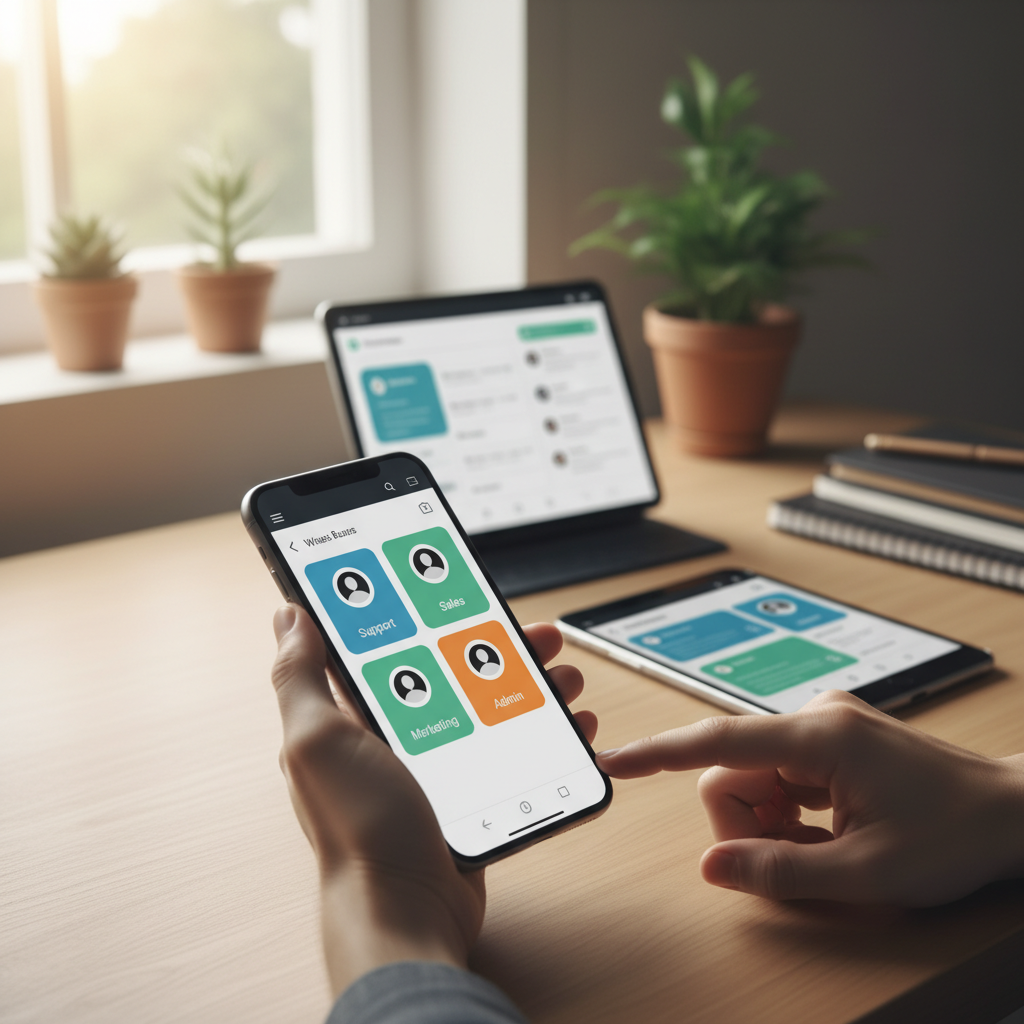
Imagine a marketing consultant who manages multiple brands: with multiple accounts, they can dedicate a WhatsApp number to each activity, keeping conversations with different clients separate. Similarly, a business owner can keep customer care management separate from personal contact management, avoiding missing important messages in the notifications.
This logic is in line with best practices of Meta for WhatsApp Business, which push towards an increasingly structured and professional use of the channel.
WhatsApp Business Multi-Account: Impact on Marketing and Business
WhatsApp Business multi-accounts opens up exciting opportunities for digital marketing, sales, and customer experience. Companies can better structure their channels, dedicating one account to customer support, one to promotional campaigns, and one to partners or resellers.
From a marketing perspective, this means being able to segment communications more precisely. One account can only deliver post-sales support messages, while another can focus on promotions, product launches, and remarketing campaigns, avoiding stressing those who aren't interested.
For the customer experience, having a dedicated support account makes it clearer for customers where to turn. Responses are quicker and more consistent, and the team can set up availability hours, automatic messages, and product catalogs dedicated to each profile.
From an automation perspective, multi-account facilitates integration with platforms marketing automation and CRM: Each account can be linked to specific flows, different funnels, or separate teams. For example, one account can handle pre-sales and lead qualification, while another can handle post-sales and retention.
This breakdown translates into clearer KPIs: response rates, average handling times, and conversions can be analyzed for each individual account, allowing companies to optimize their strategy and budget. Organizations that already use WhatsApp extensively for business can thus take a step towards truly omnichannel use.
How SendApp Can Help with WhatsApp Business Multi-Accounts
To truly leverage the potential of WhatsApp Business across multiple accounts, you need a platform capable of orchestrating conversations, automating processes, and integrating data with the rest of your company's digital ecosystem. This is where SendApp, a solution specializing in WhatsApp Business automation, comes in.
With SendApp Official you can access the Official WhatsApp APIs Meta and connect multiple WhatsApp Business numbers to your marketing and CRM infrastructure. This way, each account can have different automated flows, approved message templates, and specific rules for notifications, campaigns, and support.
For the operational management of multi-account chats, SendApp Agent It offers a centralized console for teams and agents. You can assign conversations to different departments (sales, support, administration), set permissions for specific accounts, and monitor performance and response times from a single dashboard.
If you want to push automation and scalability, SendApp Cloud It allows you to orchestrate massive campaigns, chatbots, and conditional flows across multiple WhatsApp Business accounts simultaneously. For example, you can use one account to send transactional notifications and another for promotional activities, coordinating content, schedules, and segments with advanced logic.
Integrating WhatsApp Business with multiple accounts with a platform like SendApp allows you to:
- centralize the management of all company numbers
- reduce human errors in chat management
- automate follow-ups, reminders, and frequent responses
- accurately measure the impact of conversations on sales and retention
For companies looking to transform WhatsApp into a true marketing and customer service channel, the combination of the app's new features and SendApp's infrastructure represents a concrete competitive advantage. Learn how to structure your multi-account WhatsApp Business project and request a consultation or a free trial directly on the official website. SendApp.
To gain a deeper understanding of the general context of the use of messaging apps in business and their global diffusion, you can also consult the updated statistics on DataReportal, which show why WhatsApp remains one of the most effective channels for reaching customers.