HOW IT WORKS
The program in 3 words: share, invite, earn
Every person who signs up through your link becomes your referral. Every time they pay or renew, you automatically receive 20%. There's no time limit.
1Share link
Copy your referral link from your dashboard and share it anywhere: social media, email, WhatsApp, or your website.
2The user registers
Just click and complete the registration. It will automatically be tracked as your referral.
3Earnings 20%
Every time a customer pays or renews, you'll automatically earn a commission. Forever.
STEP 1
1Access the Affiliate Dashboard
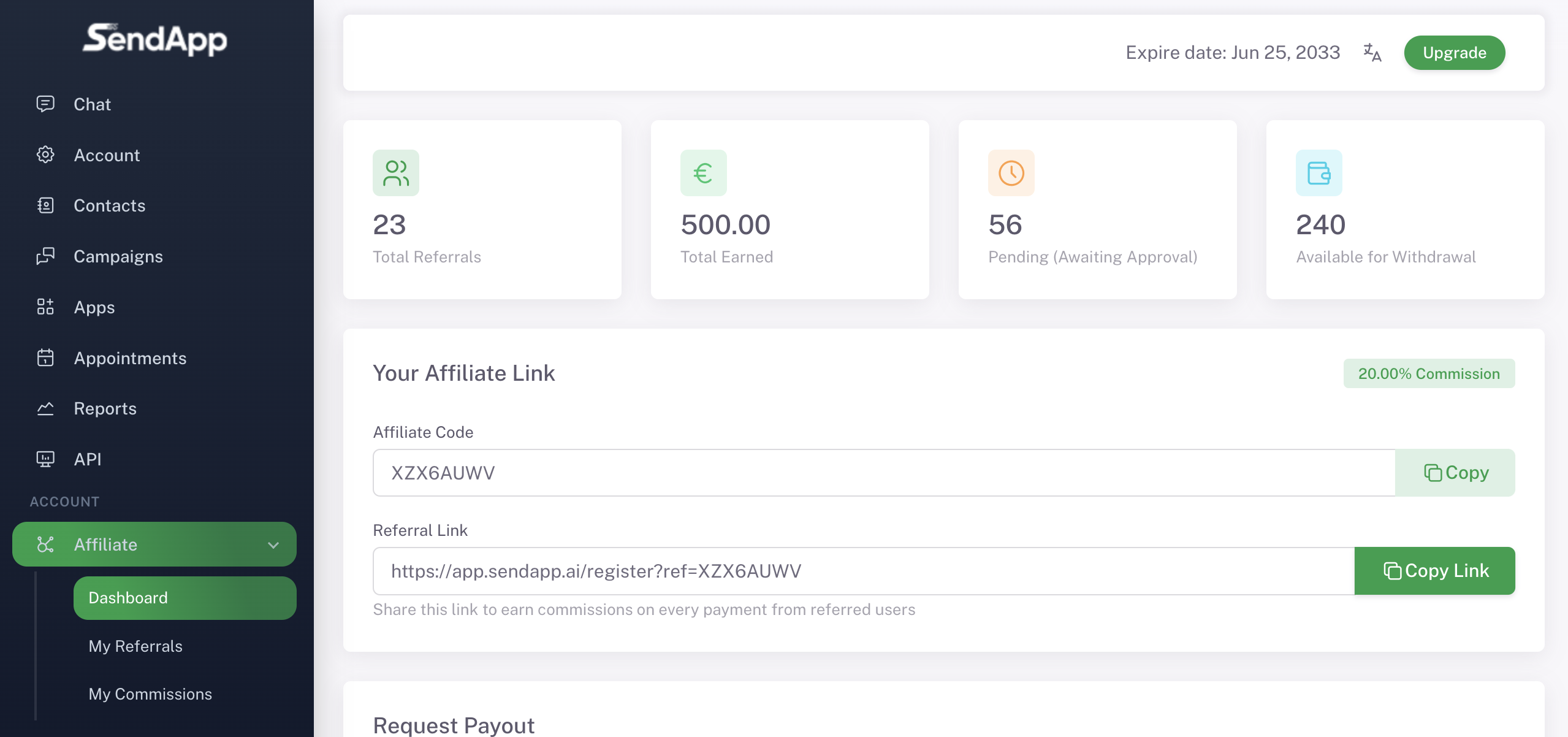
From the side menu of your personal area, go to Account → Affiliate. Here you'll find a complete overview: total referrals, total earnings, pending commissions, and available withdrawal balance. Initially, all values will be zero—you'll start seeing them grow after your first few referrals.
STEP 2
2Copy your referral link
In the section Dashboard find yours Affiliate Code (Eg. CS5Y468T) and the Referral Link Personal. This link is the heart of the system: everyone who registers through it is automatically tracked as your referral.
Where you can share it:
Website or blogSocial media
YouTube Video
Newsletter
WhatsApp and Telegram
Customers and partners
STEP 3
3Track your referrals
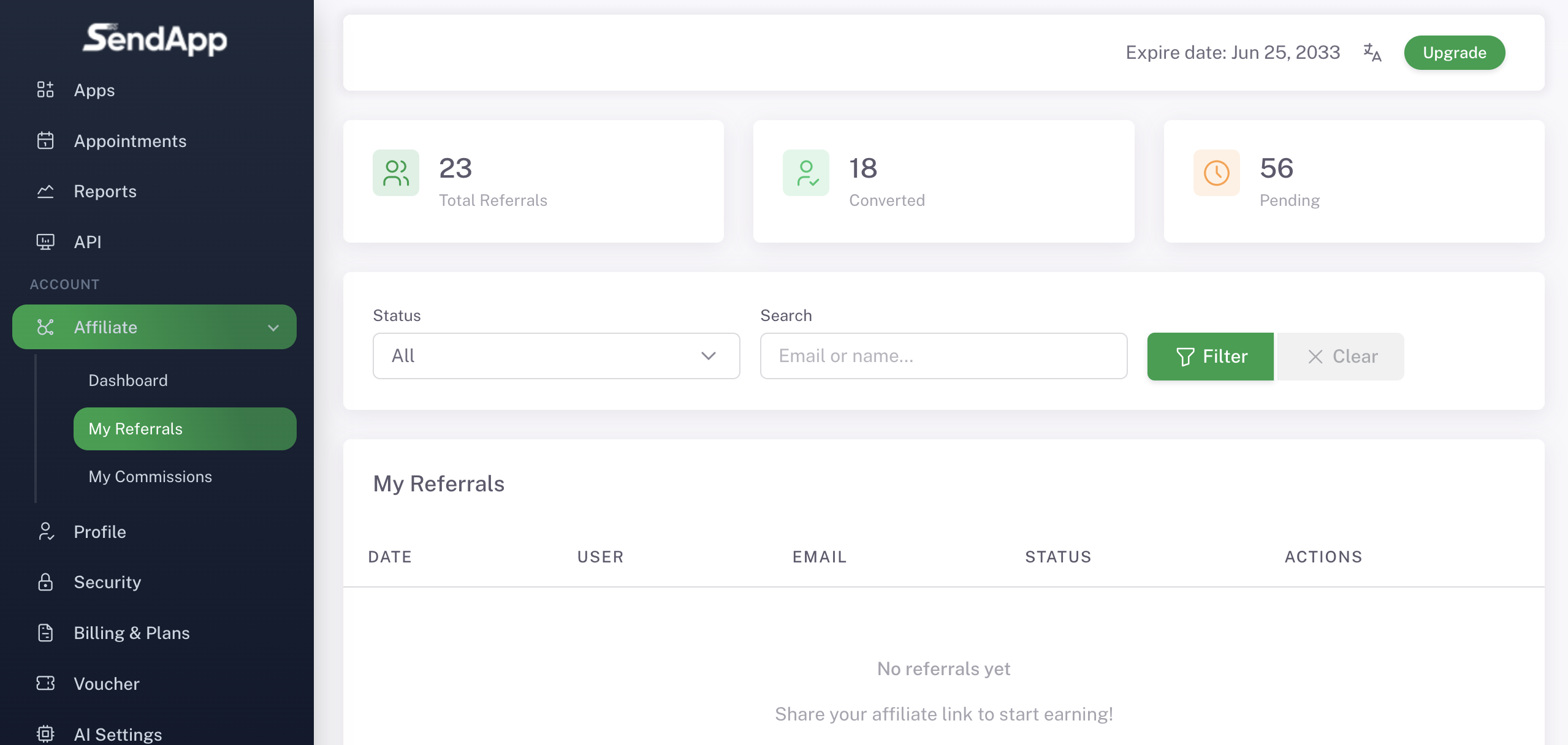
In the section My Referrals You can control all the users you've invited. For each referral, you can see: registration date, name, email, and status (registered, active, pending, converted). When a invited user makes a purchase, their status changes to Converted.
STEP 4
4Check the Commissions
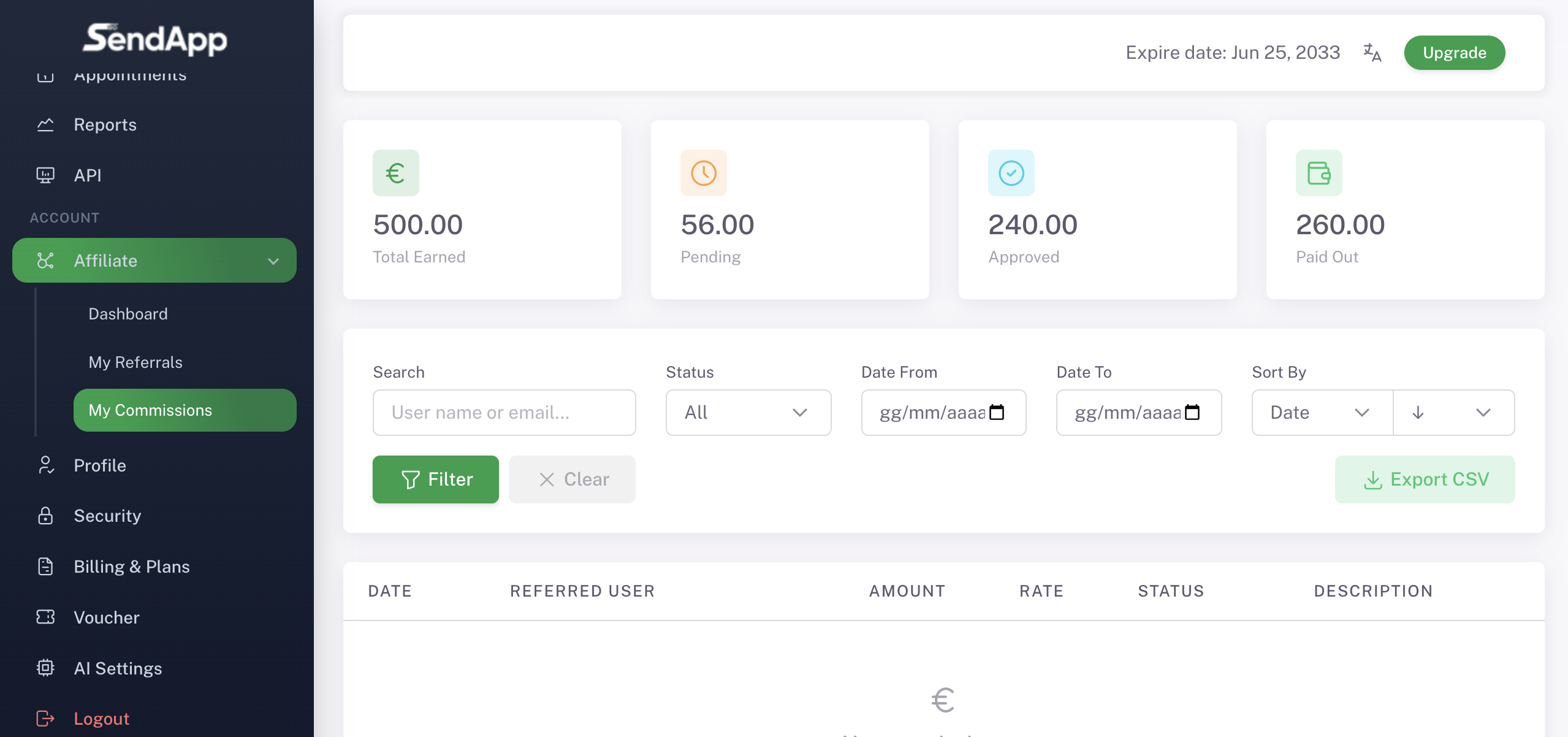
In the section My Commissions Find the complete history. Each commission shows: date, user who generated it, amount, rate (20%), and status (pending, approved, paid out). You can filter by name, status, or date range, and export everything to CSV for the accountant.
STEP 5
5Request Payment
When the accumulated commissions become approved, appear in the balance Available for Withdrawal. To request a withdrawal you must reach at least €200 Approved balance. Once you reach the threshold, the payment request button is activated, and you can choose the method (PayPal or bank transfer).
Minimum threshold: €200
If your balance is lower, you will see the message: “You need at least €200.00 in approved balance to request a payout.”
REFERRAL FOREVER
∞Unlimited Referral Duration
Every user who registers from your link remains associated with your profile forever. All your future invoices generate recurring commissions that are automatically credited to you. You don't have to do anything: the platform tracks everything.
SUGGESTIONS
How to Increase Your Earnings
Create tutorials on YouTube
Demonstrate how SendApp Agent works and include your link in the video description.
Social post with call to action
Post content on Facebook, Instagram, TikTok, and LinkedIn with your referral link.
Send the link to your contacts
Use WhatsApp itself to explain the benefits of official WhatsApp Marketing to your customers and partners.
Embed it into your site
Add the affiliate page to your site menu or in a dedicated banner.
Use the newsletter
If you have a mailing list, send a dedicated email explaining how SendApp helps businesses.
Show results
Share case studies or real numbers on how SendApp Agent increased sales.
Frequently Asked Questions
Affiliate FAQ
How much do I earn for each referral?
Get the 20% on every payment made by the customer you invited. The commission applies to both the first purchase and all subsequent renewals. If the customer pays for a €50/month plan, you receive €10/month. Automatically.
How long do I receive commissions?
Forever. The user remains associated with your profile permanently. As long as the customer continues to pay, you continue to receive commissions.
When can I request payment?
You can request a withdrawal when you reach an approved balance of at least €200. Payments are processed via PayPal or bank transfer.
Do I have to be a SendApp customer to participate?
Yes, the affiliate program is available to all registered SendApp Agent users. You can even start during the 7-day free trial.
How do I track referrals and commissions?
From your affiliate dashboard you have full access to the sections My Referrals is My Commissions. You can filter, sort, and even export data to CSV.
Can I also promote the link on WhatsApp?
Absolutely. You can share your referral link anywhere: WhatsApp, Telegram, Messenger, email, social media, your website, your blog, or YouTube videos. The more qualified traffic you send, the more referrals you'll get.
START NOW
Share SendApp, earn 20% forever
Sign up, copy your affiliate link, and start earning recurring commissions on every customer you refer.
Free trial Instructions for use →Set up WhatsApp →
See Prices →
Ready to get started with SendApp Agent?
Start your free trial: WhatsApp, AI and automations in one dashboard.
Try for free