WhatsApp Spoiler: How Hidden Messages Work
WhatsApp spoiler This is the new feature designed to protect users from unwanted spoilers in chats. With WhatsApp Spoilers, it's easier to share sensitive content without spoiling TV shows, games, or important announcements for those who don't want to know anything in advance.
WhatsApp groups dedicated to TV series or live events are often a minefield of spoilers. Open the chat at the wrong time, and the ending of the latest episode or the name of the person who's been eliminated instantly appears on your screen, without warning or any way to avoid it.
To address this real user need, WhatsApp is introducing a new formatting option: spoiler messages. This is a simple and intuitive way to hide the content of a message behind a cover, which the recipient must voluntarily tap to reveal.
This way, those who want to avoid spoilers can continue participating in group conversations without the risk of seeing unwanted information as soon as they open the chat. Control shifts to the user, who decides if and when to reveal hidden content.
WhatsApp Spoilers: What Are Covered Messages?
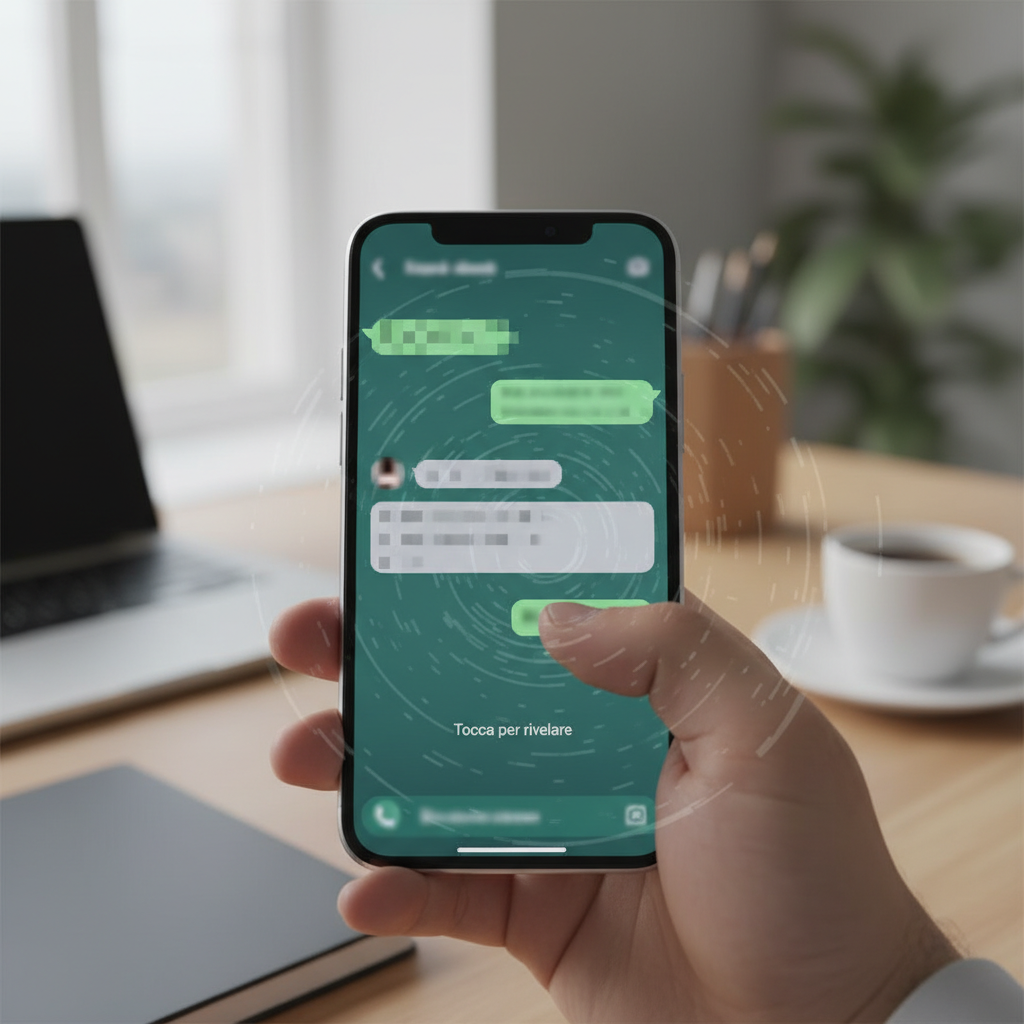
With WhatsApp spoiler Sensitive content is hidden behind a cover effect, similar to a visual block protecting the text. Only by intentionally tapping the message can the user read what was written, minimizing the risk of accidental spoilers.
The feature was created primarily to handle content related to TV series, movies, sporting events, or games, but it can be used in any situation where you want to give the recipient the choice of whether or not to view certain information. This approach is already familiar to those who use other messaging platforms.
To apply the spoiler, WhatsApp will automatically add vertical bars (||) before and after the selected text. This is the same convention already used by services like Discord and Telegram, so for many users the experience will be immediately recognizable and easy to use.
The spoiler effect can be applied to the entire message or just a portion of the text. This way, for example, you can hide just a character's name, the score of a match, or a crucial plot detail, leaving the rest of the message clear and easily readable by everyone.
How spoiler messages technically work
From a user experience standpoint, spoiler messages work extremely smoothly. Once sent, the spoiler message won't display its clear content in the chat: instead, a hidden block will appear, indicating its presence without revealing any details.
To read the content, the recipient must tap the message bubble. Only then is the hidden text revealed, and the user can make a fully informed decision whether to proceed or not. The message, however, remains within the conversation and available for later reading.
Before this feature arrived, creative users worked around the problem by turning the text into an image and sending it as "view once" content. This trick avoided immediate spoilers, but it had a major drawback: the image automatically disappeared after the first time it was opened.
Once the "view once" content was viewed, it was no longer possible to retrieve it later. If, a few hours later, you wanted to reread that message to discuss it with someone or clarify a detail, the content was no longer available, creating a clear usage paradox.
The new spoiler messages address this limitation at its core. The content remains in the conversation, always accessible, but is protected by a layer that must be intentionally removed. You find the message, tap it, read it, and it stays there, ready to be reopened whenever needed, without compromising spoiler protection.
WhatsApp spoilers today: current limitations and future developments
At the moment, the function WhatsApp spoiler It is limited to text messages only. This means that the coverage mechanism applies only to words, while other types of content are excluded from spoiler management in the initial development phase.
Support for additional formats, especially photos, is one of the most eagerly awaited improvements. Images are often the most common spoiler in chats: a screenshot of a key scene, a photo of the final scoreboard, or a revealing frame can ruin the experience even more quickly than text.
Extending WhatsApp spoilers to photos and multimedia content would be a logical extension of the feature. Being able to send an image covered by a spoiler layer would virtually eliminate the risk of unwanted disclosure, while still allowing interested users to access all content.
The feature is currently under development and doesn't yet have a definitive release date for all users. As is often the case with WhatsApp new features, it will be rolled out gradually after completing internal testing, likely starting with beta versions and then gradually rolling out to the various platforms.
To stay up to date on official features and usage policies, it is always useful to consult the page dedicated to WhatsApp on Wikipedia and the technology news sections of industry publications such as Il Sole 24 Ore Technology or Technology Courier.
WhatsApp Spoilers and Managing Group Conversations
The introduction of WhatsApp spoiler It will have a significant impact on managing group conversations, especially in large and highly active communities. Groups dedicated to TV series, movies, gaming, sports, or product launches will finally be able to host parallel discussions without excluding those who are behind on their viewing.
Group admins will be able to set clear rules, encouraging users to always use spoiler messages when sharing sensitive content. This helps maintain a quality experience for everyone, reducing conflicts and complaints related to inadvertent spoilers.
Even in chats between friends or colleagues, the feature makes it easier to respect everyone's time and preferences. Not everyone consumes content at the same pace, and a little attention to message formatting can make a big difference in the way a conversation is perceived.
This type of granular control over content is part of a broader evolution of instant messaging, which aims to offer increasingly sophisticated tools for managing the flow of information and protecting the user experience, even from a business perspective.
WhatsApp Spoilers: Impact on Marketing and Business
The arrival of WhatsApp spoiler It also opens up interesting opportunities for digital marketing and for companies using WhatsApp as a communication channel with their customers. The ability to hide part of the content behind a clickable cover allows for more interactive campaigns that respect user preferences.
For example, a brand launching a new product series or an exclusive collaboration can share details only for those who decide to "discover" the message. Similarly, companies working with content related to live events, such as concerts or sports, can avoid spoilers for customers who haven't yet seen the event.
From a customer experience perspective, this feature increases the user's sense of control over the conversation. Customers can choose when to display a secret discount code, a campaign preview, or sensitive information, enhancing the brand's perception of attentiveness and respect.
In marketing automation strategies, spoiler messages can be used to segment the experience: you can send a single communication stream, but leave it up to the user to decide whether or not to access advanced content, promotion endings, price reveals, or product previews.
Furthermore, in brand-run fan communities, the feature reduces the risk of friction between users: those who are up-to-date can discuss things freely using the spoiler, while those who aren't can avoid tapping the message. This keeps the group active and engaged without forcing anyone to leave for fear of spoilers.
How SendApp Can Help with WhatsApp spoiler
For companies that want to integrate WhatsApp spoiler in their communication strategies, an automation platform such as SendApp It represents a fundamental ally. The ability to manage formatted messages, segmentation, and automatic flows makes the use of spoilers much more powerful for marketing and customer care.
With SendApp Official, Based on WhatsApp's official APIs, you can orchestrate structured campaigns that include spoiler messages within broader communication funnels. This allows you to combine transactional notifications, promotions, and interactive content while maintaining high standards of reliability and compliance.
For support and sales teams, SendApp Agent It allows you to collaboratively manage conversations, even when they include spoiler messages. Operators can, for example, send product previews, contest results, or offer details in hidden form, leaving customers free to decide when to view them.
Thanks to SendApp Cloud, businesses can set up advanced automations that intelligently leverage WhatsApp spoilers. It's possible to build sequences that include "hidden" content that unlocks only after a certain action, such as a click, a reply, or reaching a certain stage of the funnel.
These tools, combined with the constant evolution of WhatsApp's features, enable the creation of increasingly personalized, interactive, and user-friendly conversational experiences. Integrating spoiler logic into campaigns, chatbots, and automated workflows increases engagement and relationship quality without sacrificing control over the content.
For companies looking to fully leverage WhatsApp's capabilities, including the new spoiler feature, we recommend starting a dedicated consultation and testing the SendApp platform. This way, you can immediately design effective, scalable strategies aligned with conversational marketing best practices on WhatsApp.