WhatsApp Business Statuses Visible to Unsaved Contacts: What's New?
WhatsApp Business Introduces a major update regarding status visibility. With this update, statuses can now be displayed even to contacts not saved in the address book. What are the implications for privacy, security, and corporate communications?
Until now, the only exceptions to the saved contacts rule were direct mentions or shared groups. Now the rule is changing: the visibility of statuses can be extended to people not in your address book, as long as there has been a recent exchange of messages or calls. The feature is being tested on Android, iOS, and the web in some countries and could have a significant impact on professional use. WhatsApp Business.
WhatsApp Business Statuses for Unsaved Contacts: How It Works
The logic behind this feature is simple: a recent interaction, such as a conversation or a call, creates enough contextual connection to justify sharing statuses. In other words, if you've recently texted or called a contact, even if they're not saved in your address book, they'll be able to see your statuses.
WhatsApp specifies that recent interactions are processed directly on the user's device and are not stored on a centralized server. This means that the information used to determine who can see statuses remains on the device and is not used to build a remote database of relationships or contacts.
The feature is being tested on multiple platforms: Android, iOS and Web. According to WABetaInfo, the rollout is gradual and initially limited to some countries, as often happens for the most sensitive innovations from the point of view of privacy and user experience.
How to recognize unsaved contact statuses
To make it clearer who's seeing what, WhatsApp is introducing a small visual trick. If you see a particular symbol before a name in a status, you'll know it's someone you don't have in your address book. This helps you quickly distinguish between saved and unsaved contacts, especially when there's a high volume of updates.
For saved contacts, however, the phone number is never displayed on the status screen. This maintains a certain consistency with the current interface and reduces the risk of confusion or unnecessary display of phone numbers.
In a usage scenario WhatsApp Business, This detail is important: companies can interact with many unsaved numbers (leads, prospects, one-time customers) and the visual distinction helps to quickly understand which statuses are potentially visible to a wider audience, beyond the circle of consolidated contacts.
Privacy Management: Hide Statuses of Non-Address Book Contacts
For those who fear an influx of unwanted statuses, WhatsApp offers a special control for unsaved contacts. You can hide updates from a contact who isn't in your address book without having to block them. This way, their statuses will no longer appear in your main feed.
However, this option doesn't permanently delete updates. Hidden statuses remain accessible from the "Hidden Updates" section or from the contact information. This way, users can retrieve those statuses at any time, maintaining a balance between feed cleanliness and flexibility.
You can also restore visibility at any time by reactivating the appearance of statuses in the main stream. The goal is to give you more control over who sees what and what's displayed in your feed, allowing each user to build an environment more consistent with their relationship preferences.
Close friends and inner circle function in the states
Alongside this new feature, WhatsApp continues to work on the "close friends" feature. The idea is to allow users to share statuses with an intimate circle, separate from their full contact list. This approach is similar to what we've seen on other social media platforms, such as shortlists on Instagram.
The Close Friends feature is still under development, and WhatsApp is improving the way it notifies users whether a status is shared with their Closed Friends list or with everyone. This clarity is crucial to avoiding posting errors, especially when alternating between personal and professional content.
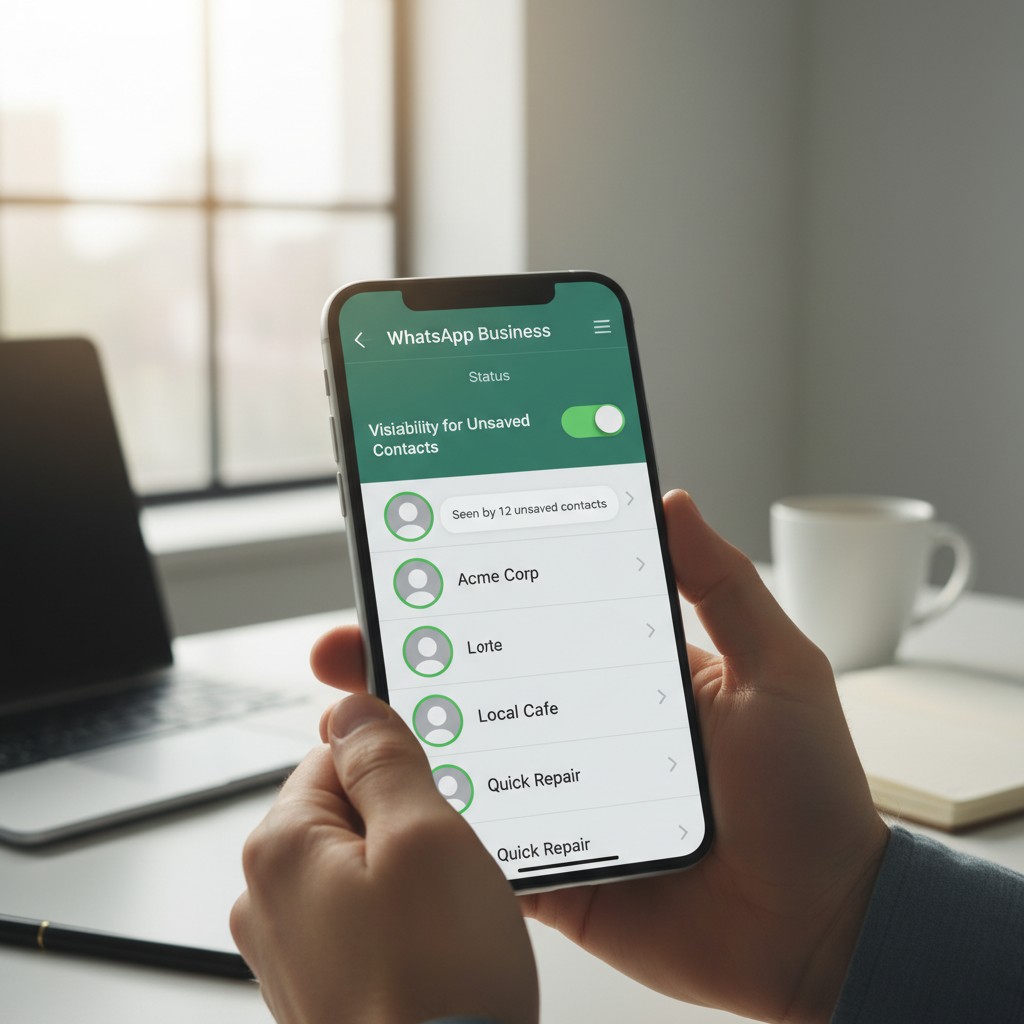
For those who use WhatsApp Business In the corporate world, the future combination of a closed circle and visibility to unsaved contacts could become a powerful tool. Companies will be able to better segment messages and differentiate statuses for premium customers, hot leads, or internal collaborators, while maintaining a good level of control over content distribution.
WhatsApp Business: Impact on Marketing and Business
Extending statuses to unsaved contacts has a direct impact on marketing strategies. WhatsApp Business and conversational marketing. Every recent interaction, even with a number not in your contact list, can be transformed into an additional point of contact thanks to statuses, broadening the reach of your messages without resorting to invasive tools.
For companies, this means being able to communicate news, promotions, or informative content even to users who have interacted only once, such as after a support request or a contact generated by an advertising campaign. Statuses thus become a lightweight remarketing channel, consistent with platform guidelines and privacy protections.
From a customer experience perspective, the feature allows you to strengthen the bond with the customer in the short term. Immediately after a conversation, the customer may see statuses dedicated to FAQs, tutorials, or onboarding offers, improving the perception of support and brand value. From a perspective of digital customer experience, each state is a micro touchpoint that contributes to the overall relationship.
Of course, it's crucial not to abuse this feature. An overly promotional use of statuses risks generating saturation and leading users to hide their updates. Companies that use WhatsApp Business They must therefore build an editorial plan for the states, balancing informational, service and promotional content.
How to Develop an Effective WhatsApp Business Status Strategy
To make the most of this innovation, companies should integrate the statuses of WhatsApp Business in your digital marketing strategy. The first step is to define your objectives: generate sales, nurture leads, provide support, and increase brand awareness.
Next, it's helpful to create audience segments, distinguishing between saved and unsaved contacts, new leads, and existing customers. The upcoming close friends feature, combined with visibility to contacts not in your address book, will allow for even finer segmentation, bringing WhatsApp closer to the logic of a true automation and CRM tool.
Finally, it's important to monitor performance: status views, responses, link clicks, and conversions. By cross-referencing this data with data available on other channels (email, social media, website), you can build an integrated view of the customer journey, as suggested by best practices. omnichannel digital marketing.
How SendApp Can Help with WhatsApp Business
To professionally manage these new opportunities offered by WhatsApp Business, it is essential to rely on a specialized platform. SendApp Official It allows you to integrate the official WhatsApp APIs into your business ecosystem, ensuring compliance, scalability, and communications automation.
With SendApp Agent, sales and customer service teams can manage conversations collaboratively, assigning chats, tracking responses, and maintaining a clear view of the history of each contact, including those not yet saved in their address book. This makes it easier to strategically use statuses as an extension of 1:1 interactions.
SendApp Cloud adds an advanced level of automation: you can orchestrate flows, segment contacts and plan coordinated content between direct messages and statuses, integrating them with CRM and other marketing tools. In this way, the new status management WhatsApp Business becomes part of a complete conversational marketing strategy, geared towards business growth.
For companies looking to maximize WhatsApp's potential, the next step is to explore a dedicated consultation and a free trial of SendApp solutions. By integrating official APIs, agent management, and cloud automation, you can transform every interaction, every status, and every contact—saved or unsaved—into a concrete relationship and business opportunity.