Banned on Whatsapp? Here's how to fix it with the Whatsapp Automatic Unsubscribe feature
In short
Automatic Unsubscription: Follow this guide to set up and make the most of this feature and manage unsubscriptions.
Sending promos from the regular WhatsApp app risks getting your number blocked. With Meta’s official API your campaigns stay compliant and your number stays protected.
The definitive fix: how to connect WhatsApp with the official API.
Try SendApp freeGuide to Automatic WhatsApp Unsubscribe with SendApp Agent
The function of Automatic Disenrollment on SendApp Agent allows you to offer your customers an easy and transparent way to unsubscribe from your promotional campaigns. Follow this guide to better configure and use this feature and manage unsubscribes.
1. Enable Automatic Disenrollment.
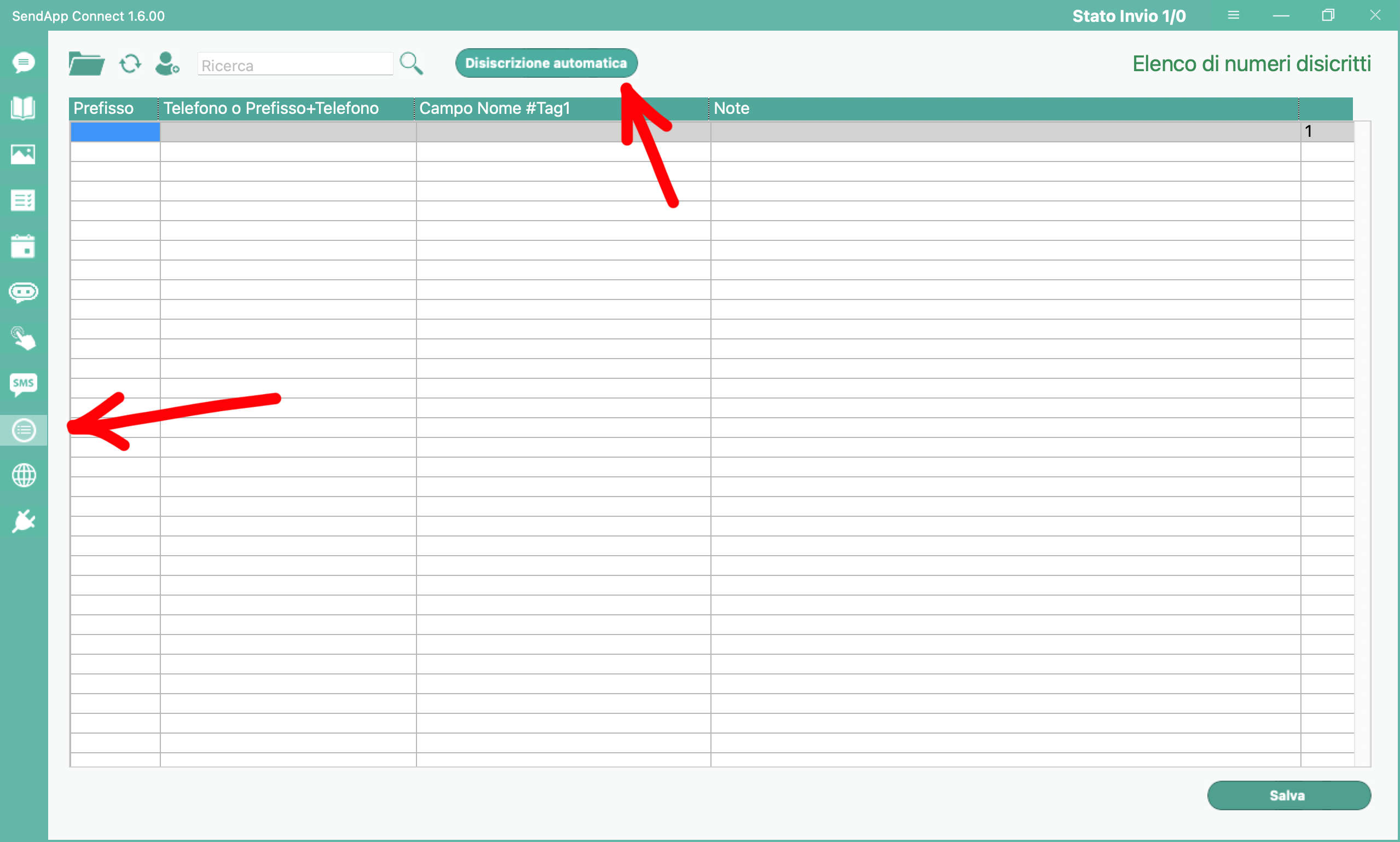
-Access to SendApp Agent.
-Click on the ninth icon from above (Disenrollment).
-To the right of the search field, you will find the Automatic Disenrollment.
-Click on Automatic Disenrollment: A window with two main fields will open.
2. Configure Unsubscribe Messages
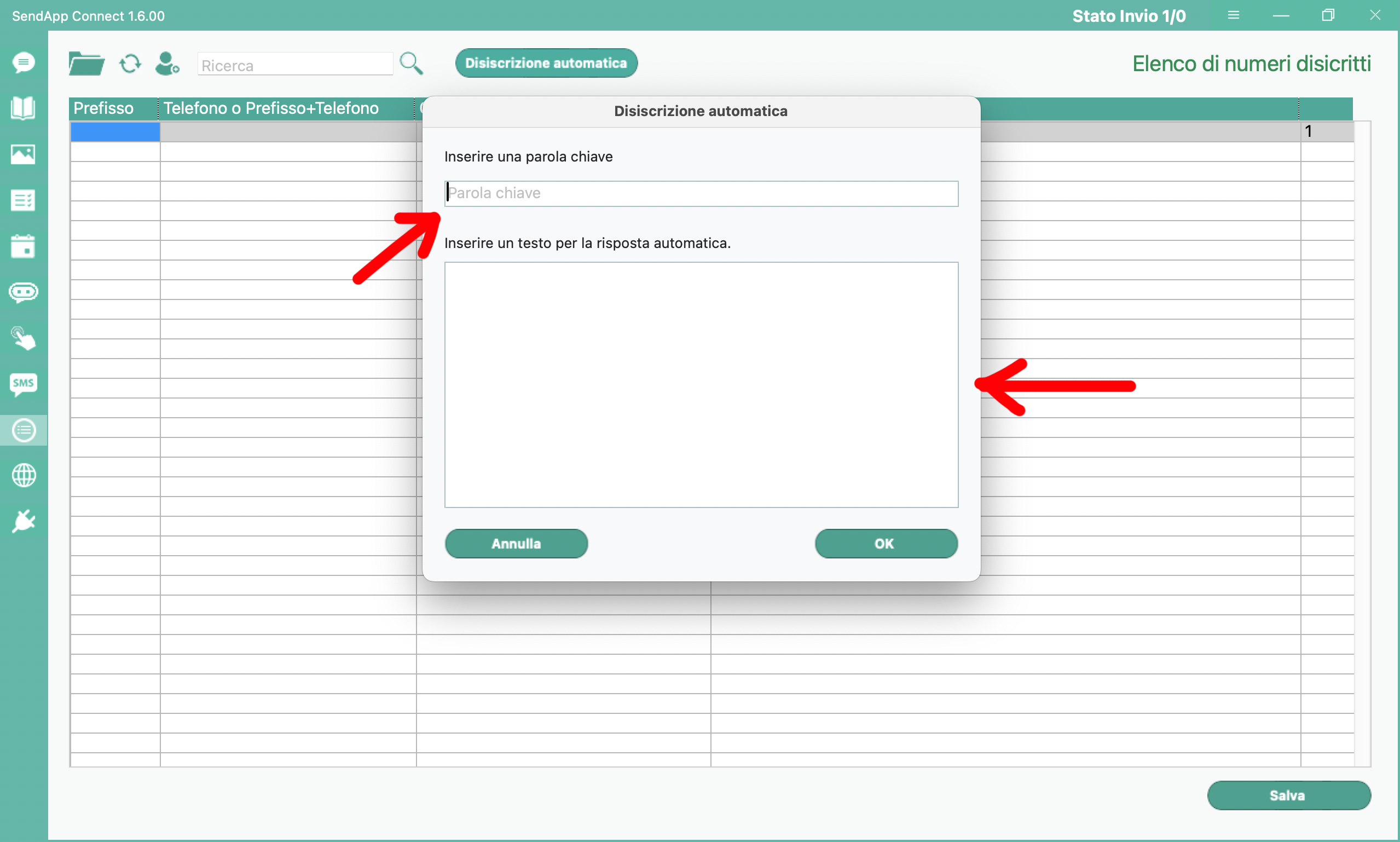
-Enter the keyword:
-In this field, type the word that customers will have to send in the chat to unsubscribe.
-Example: unsubscribe me.
-Auto reply:
-Enter here the confirmation message that will be automatically sent to the customer after unsubscribing.
- Example: The disenrollment was successful.

3. Tips for Use in Promotional Campaigns.
To make the process transparent and comply with GDPR regulations, we recommend that you include an unsubscribe message in your promotional campaigns. Here is an example to add to the end of your messages:
If you do not wish to receive any more promotional messages, please write "unsubscribe me".
This way, your clients will know how to unsubscribe easily and without complications.
4. Managing Unsubscribed Contacts
Once a customer submits the unsubscribe keyword, he or she will automatically be removed from your active campaign address book. This feature allows you to maintain an organized and compliant management of your contacts.
With the Automatic Disenrollment, SendApp Agent helps you ensure respectful and professional interaction with your customers, enhancing their experience and increasing trust in your services. Activate this feature today to offer increasingly transparent and personalized service!