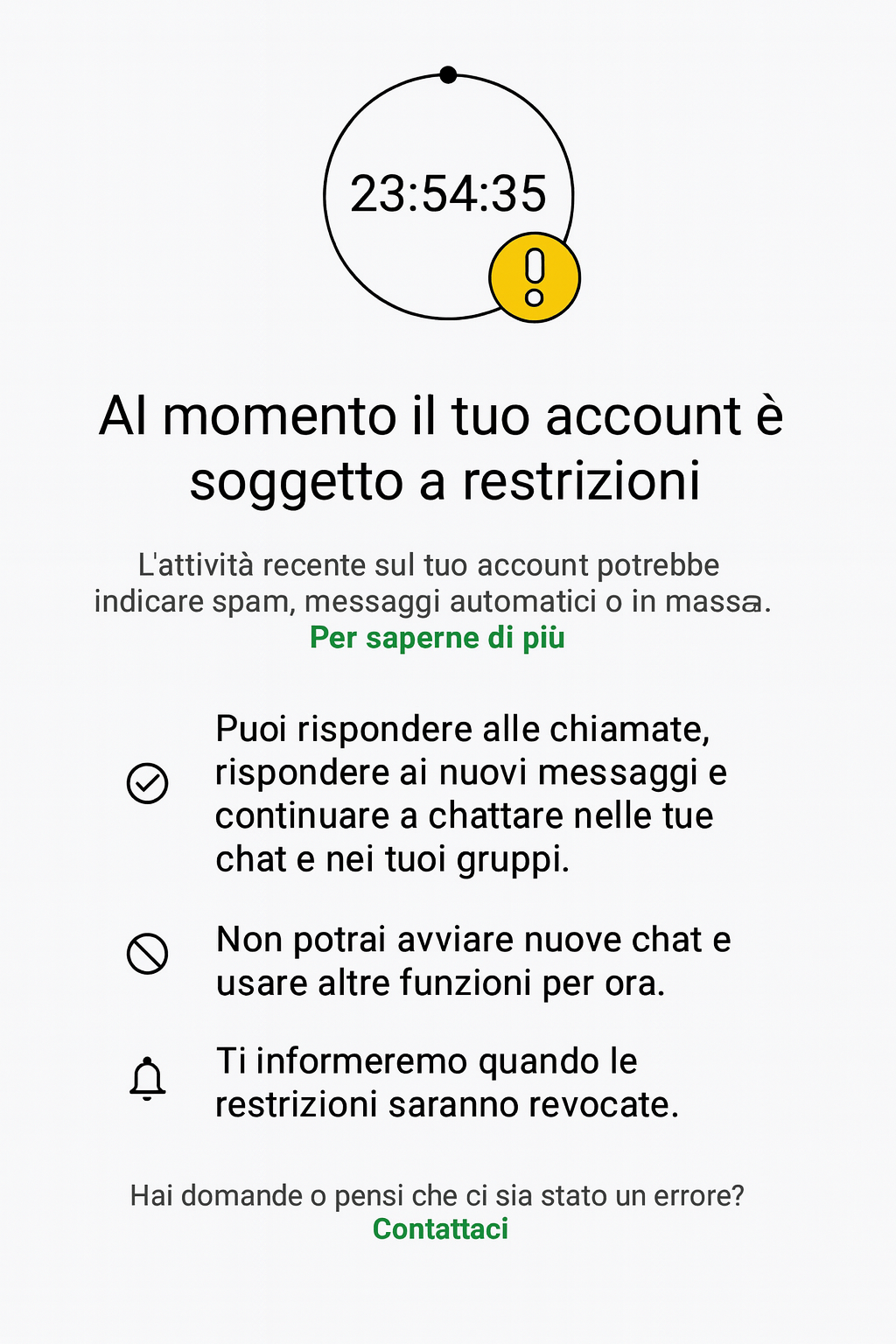
Your account is currently restricted

In short
This article analyzes the causes of restrictions, the steps to resolve them, and explains why this is the ultimate solution for businesses.
WhatsApp Account Restricted: How to Avoid It with SendApp Agent
In a digital age where managing online accounts is essential for daily and business activities, suddenly finding yourself with a restricted WhatsApp account can be frustrating. The message “Your account is currently restricted” It appears when the system detects behaviors considered risky, such as mass mailings or spam-like activities.
This article analyzes the causes of restrictions, steps to resolve them, and explains why the ultimate solution for businesses is SendApp Agent, integration with the official Meta API account.
Why restrictions appear on WhatsApp
Restrictions can have various causes:
- Mass or suspicious mailingsWhatsApp is limiting accounts that send too many messages in a short amount of time, especially to numbers that haven't interacted with them.
- Policy Violations: Non-compliant content or unfair practices may result in temporary bans.
- Abnormal activity: suspicious access, unauthorized automation or use of unofficial software.
- Technical or identification errors: Unusual logins or inconsistent login information can trigger preventative measures.
Why SendApp Agent with Meta API is the solution
While a standard WhatsApp account can be blocked for perceived spam activity, SendApp Agent uses the official Meta infrastructure. This guarantees:
- ✅ No spam: Messages go through Meta approval, reducing the risk of violations.
- ✅ Greater flexibilityMeta sets custom daily quotas based on your company's reputation, allowing you to safely scale your sending.
- ✅ Full compliance: Templates must be approved by Meta, ensuring compliance with policies and regulations.
- ✅ Professional reliability: no risk of sudden bans, as happens with normal numbers or unofficial solutions.
- ✅ Tracking and reporting: advanced tools for monitoring performance and managing campaigns.
In other words, with SendApp Agent A company not only eliminates the risk of spam blocks, but also obtains a certified system designed for professional marketing and communications.
How to resolve and prevent restrictions
- If you have received a restriction, follow the instructions provided by WhatsApp: wait for the block to expire, update your credentials, and make sure you do not repeat risky behavior.
- Switch to SendApp AgentThe real long-term solution is to rely on the official Meta APIs via SendApp. This way, your communications remain secure, scalable, and compliant.
- Build your team: Explain to collaborators the guidelines on using templates and managing contacts.
Conclusion
WhatsApp's restrictions are a clear signal: the platform isn't designed for mass or unstructured sending. Companies seeking professional marketing must adopt official tools.
SendApp Agent It represents the secure, scalable, and compliant choice because it allows you to leverage the full power of WhatsApp with Meta's direct approval, without risking blocks, bans, or sudden interruptions.
👉 With SendApp AgentWhatsApp becomes a true business communication channel, reliable and secure.
Frequently asked questions
Why did WhatsApp block or restrict my account?
Usually for bulk sending from an unofficial number, too many reports from contacts, Terms of Service violations or using unauthorized apps. WhatsApp detects spam-like patterns and limits or blocks the account.
How do I unblock a restricted WhatsApp account?
Request a review from the app when the warning appears, wait out temporary limits, and stop the behavior that caused them. For permanent bans you need to contact official WhatsApp support.
How do I avoid bans when messaging many customers?
Don’t use personal numbers or unofficial apps for campaigns. With SendApp Agent you use the official Meta APIs: send notifications and campaigns by the book, from a verified number, with no ban risk.