
Before you start
- Active SendApp Agent account
- The practice’s GipoNext login (you sign in on GipoNext’s site)
- A channel connected in SendApp for sending (WhatsApp, SMS or email)
What is different from AlfaDocs
Three differences, and they are real advantages.
- You sign in with your GipoNext login, not a key
- The connection happens on GipoNext’s site, like signing in with Google to another service. SendApp never sees the password, and access can be revoked at any time from GipoNext.
- There are two GDPR consents, not one
- GipoNext separates consent to data processing from marketing consent. SendApp respects both: without processing consent a patient doesn’t even enter the address book, and without marketing consent they get no recalls.
- It recognises no-shows
- GipoNext records when a patient didn’t turn up, as distinct from a cancellation. In recalls you can choose to exclude no-shows.
What it does in practice
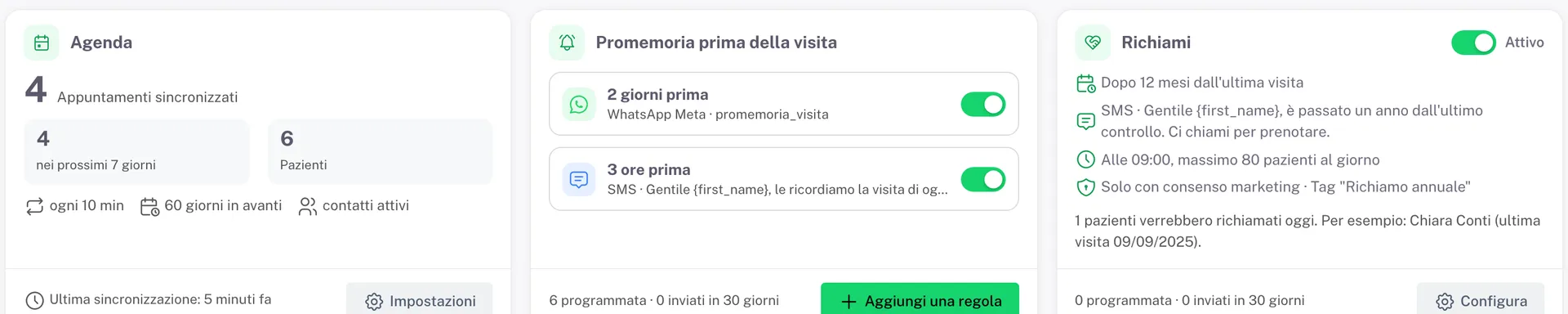
- Every appointment becomes a row in the SendApp Calendar, with patient, date, time, service and doctor. Moved in GipoNext, it moves here too; cancelled, it is cancelled here too.
- Up to five reminder rules before the visit, on WhatsApp, SMS or email. The reminder follows the visit: if it moves or is cancelled, so does the reminder.
- Recalls for those who haven’t been back for a while, with a daily cap and marketing consent read from the GipoNext record.
- Name, phone, email and date of birth land in SendApp Contacts with the GipoNext tag.
How to connect it
No key needed: you sign in with GipoNext.
- 1
Start the connection
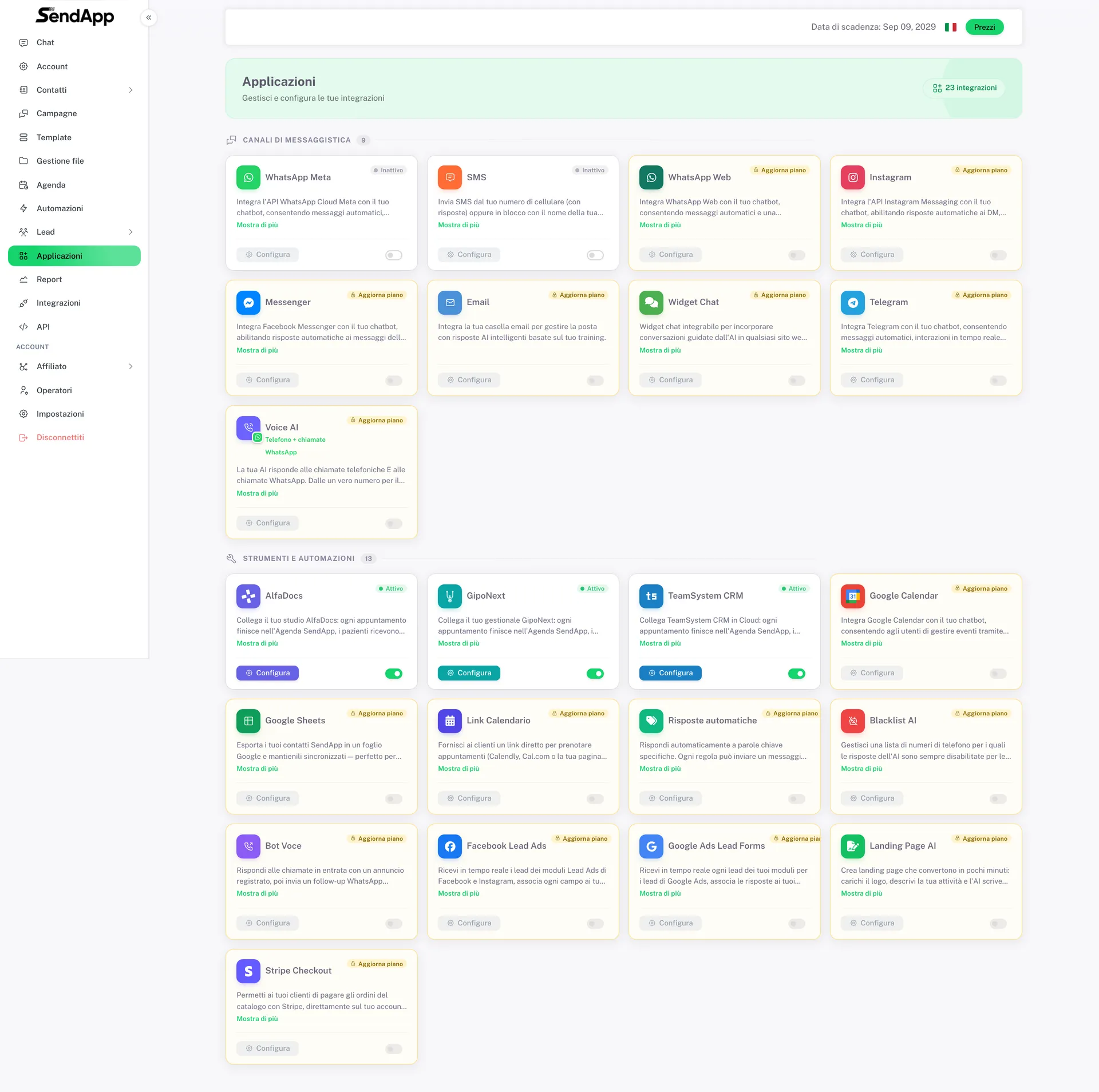
In SendApp go to Applications → GipoNext → Connect GipoNext.
- 2
Sign in on GipoNext
You are taken to GipoNext’s page, where you enter your credentials and authorise SendApp. The credentials stay on GipoNext: SendApp only receives permission to read the calendar.
- 3
Choose the practice
If your login manages several practices or sites, choose which one to connect. One connection is for one practice.
- 4
The first sync
SendApp starts reading the calendar. The first appointments appear within seconds; the history continues in the background.
Reminders before the visit
From Reminders before the visit → Add rule. Up to five rules, each with:
| Choice | What it means |
|---|---|
| How far ahead | 3 hours, 1 day, 2 days… or a custom interval |
| Channel | WhatsApp, SMS or email |
| Message | an approved WhatsApp template, or free text for SMS and email |
Available placeholders: {first_name}, {name}, {appointment_date}, {appointment_time}, {operator}. Example: “Dear {first_name}, a reminder of your visit on {appointment_date} at {appointment_time}.”
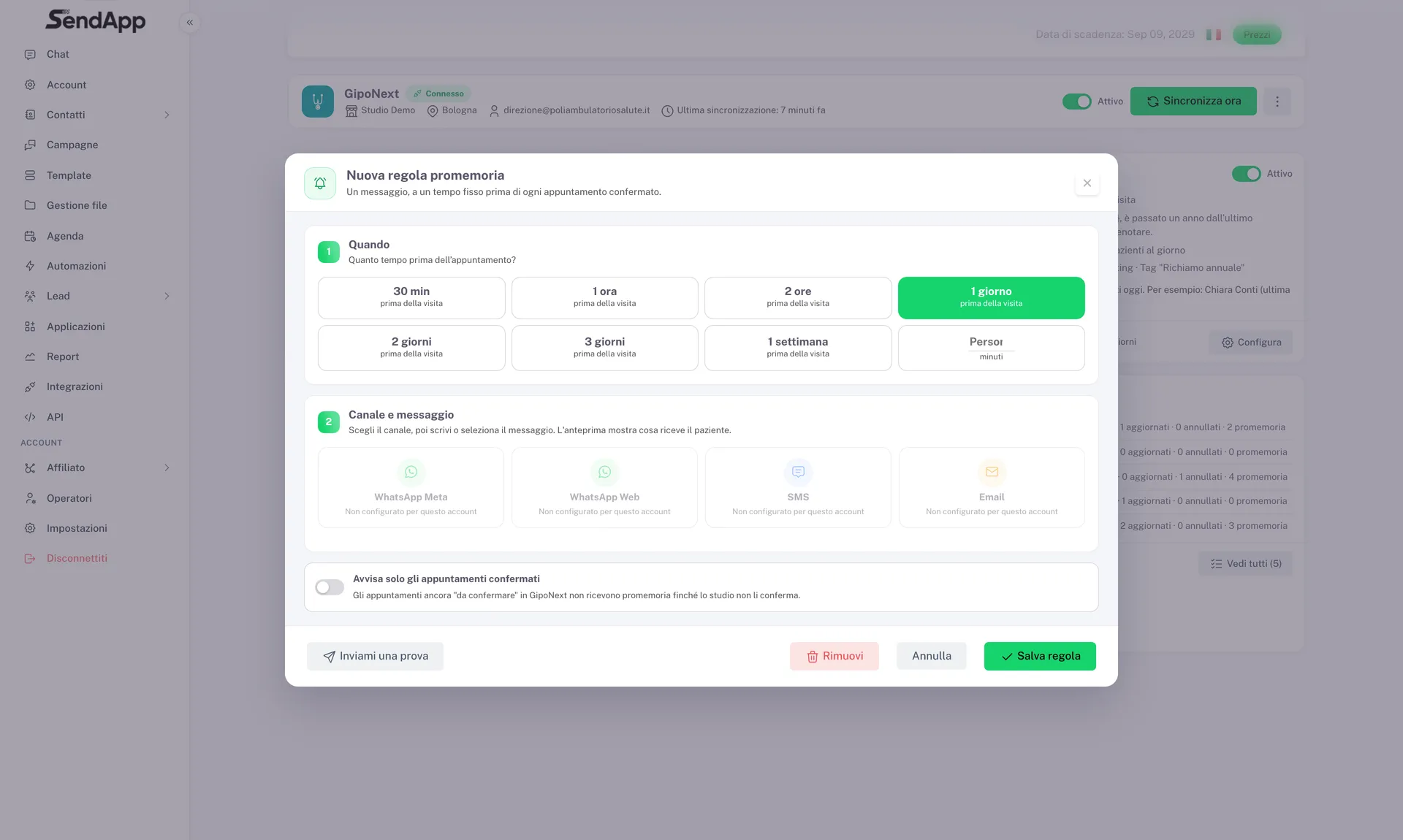
One extra option compared to AlfaDocs: you can choose not to send reminders for appointments that are not yet confirmed. Useful for practices that confirm by phone first.
A rule that would fall in the past is skipped: if you set “one day before” and the visit is in two hours, that reminder doesn’t go out.
Recalls
| Setting | What it is for |
|---|---|
| Months since last visit | the threshold |
| Window | how far back to look beyond the threshold |
| Send time | when they go out |
| Maximum per day | protects reception and the quality of the number |
| Don’t repeat for | every how many months the same person can be recalled |
| Only with marketing consent | read from the GipoNext record |
| Skip those who already have an appointment | they are already coming back |
| Skip no-shows | GipoNext only |
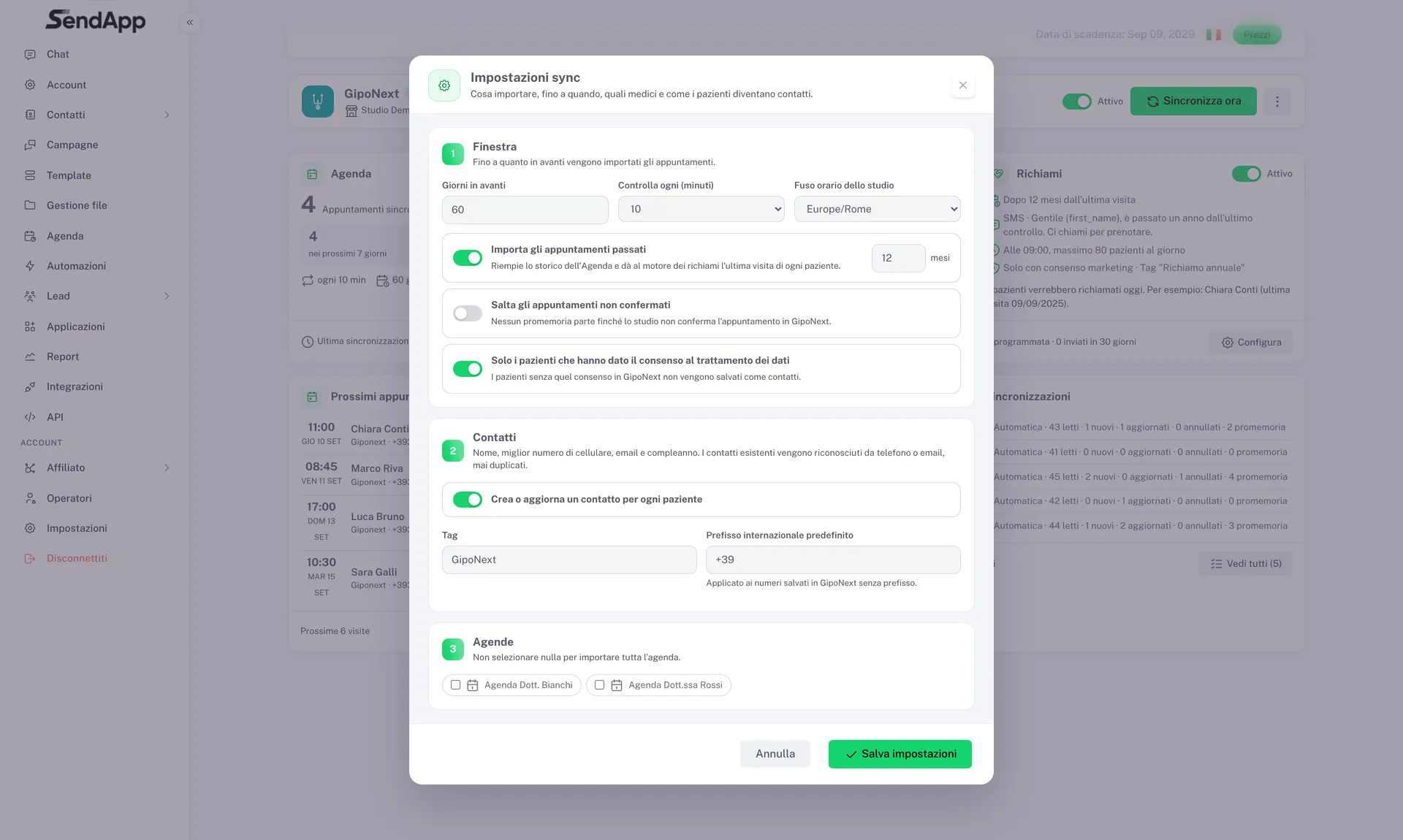
Sync settings
| Setting | Default | What it does |
|---|---|---|
| Days ahead | 60 | how far ahead to read |
| Every how many minutes | 10 | check frequency |
| Import history | on, 12 months | feeds the recalls |
| Create contacts | on | fills the address book |
| Tag | GipoNext | contact label |
| Default prefix | +39 | for numbers without a prefix |
| Calendars | all | limits to some calendars or doctors |
How to check it works
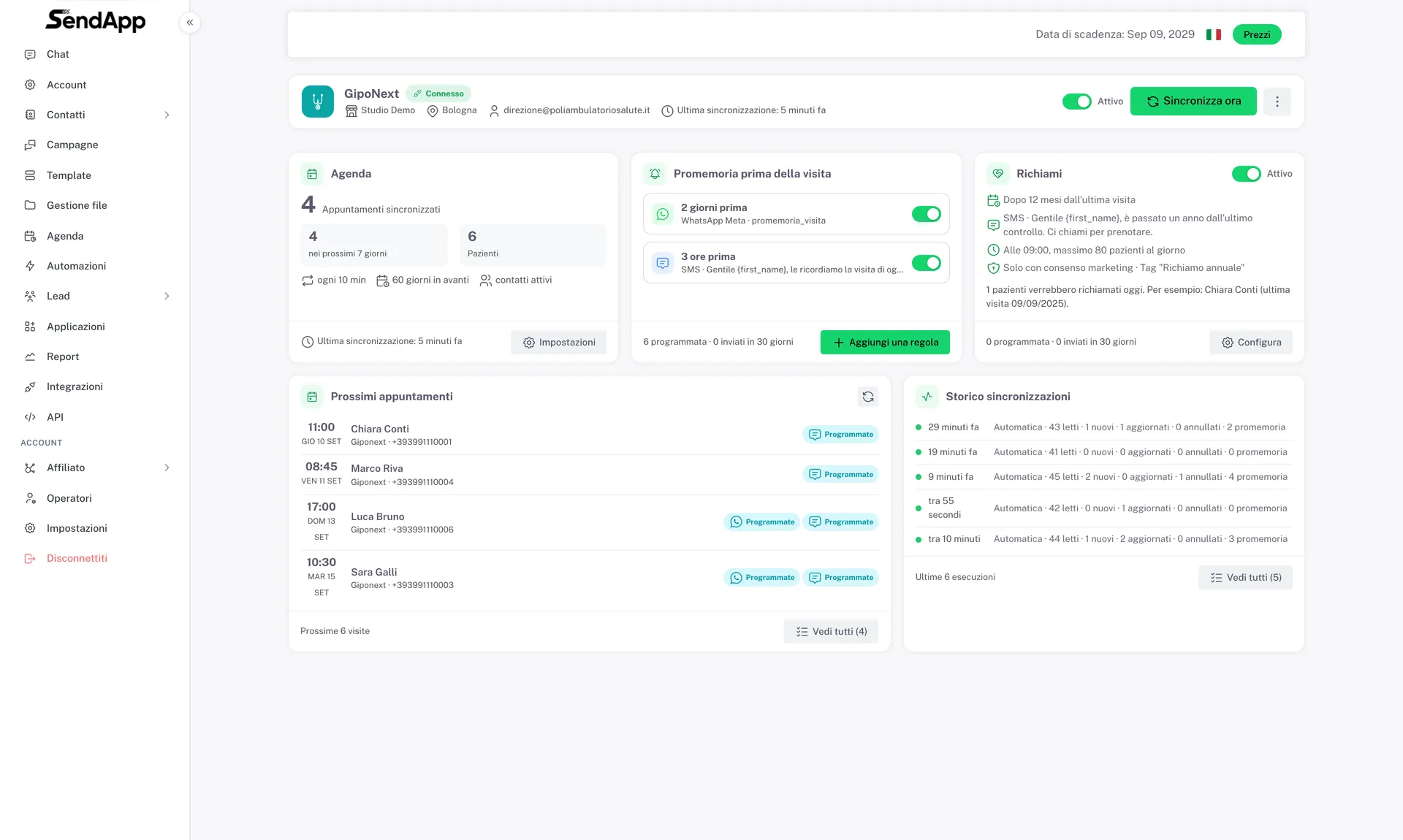
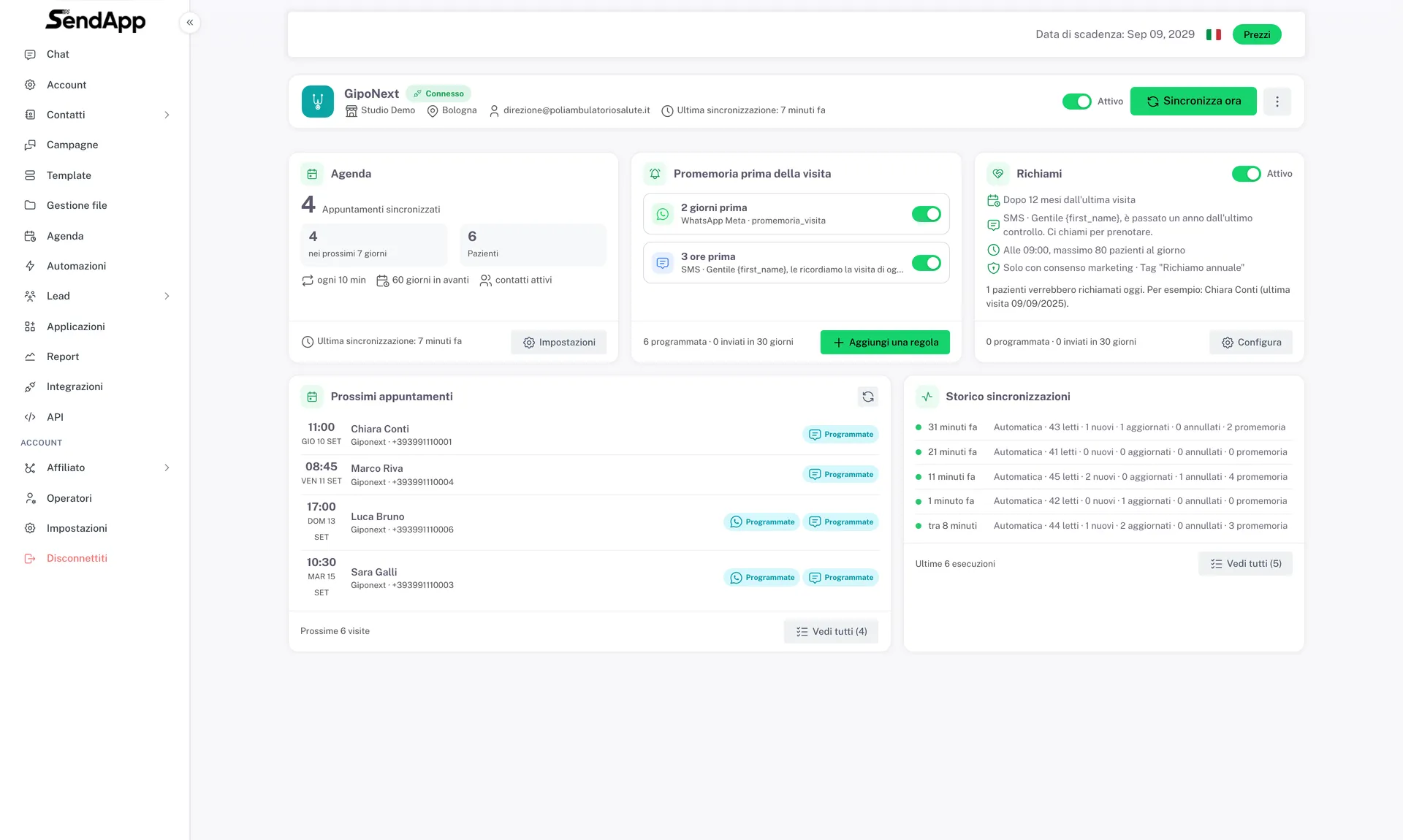
- The figures at the top: synced appointments, next 7 days, scheduled reminders, recalls.
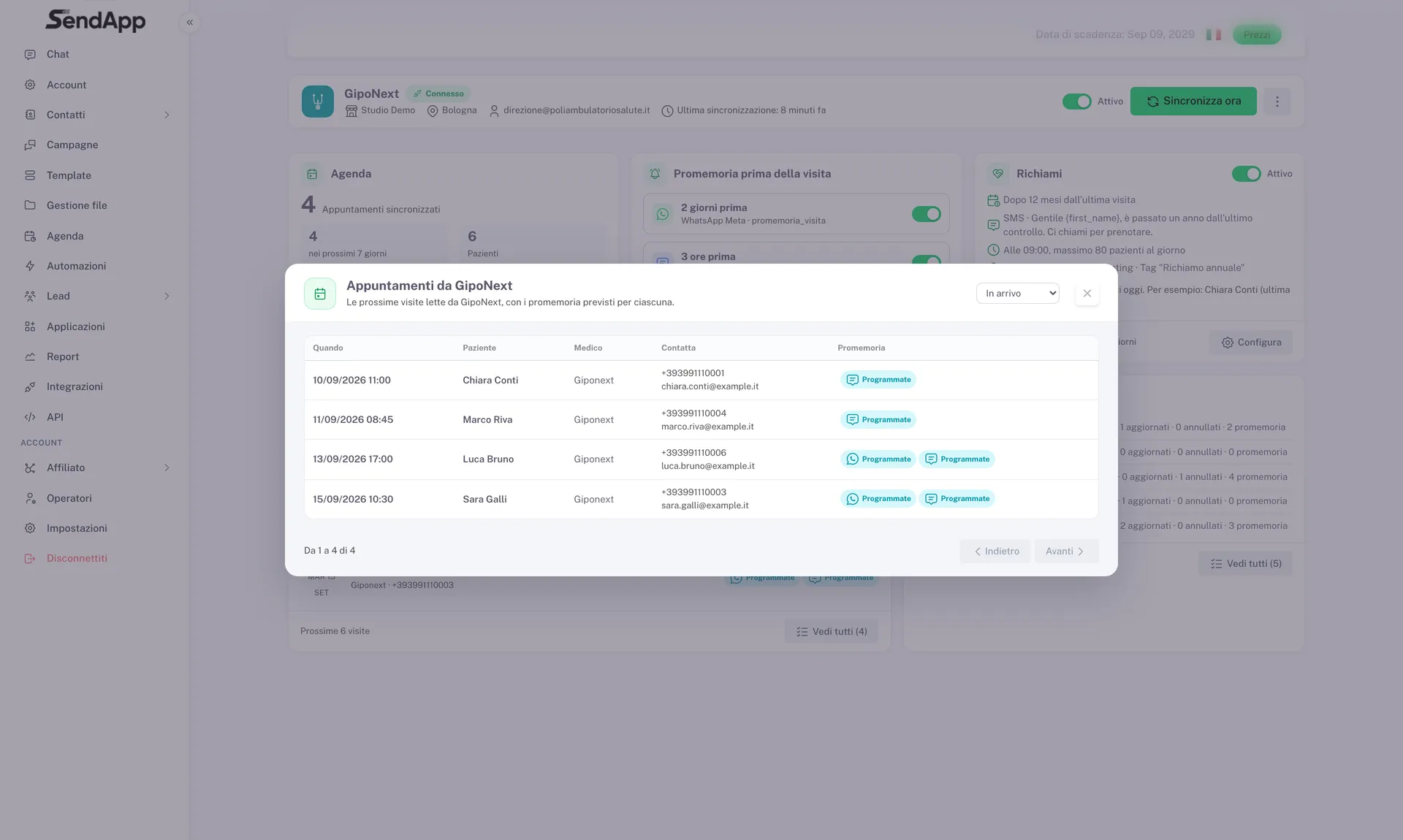
- Upcoming appointments: the list read from GipoNext, with the planned reminders.
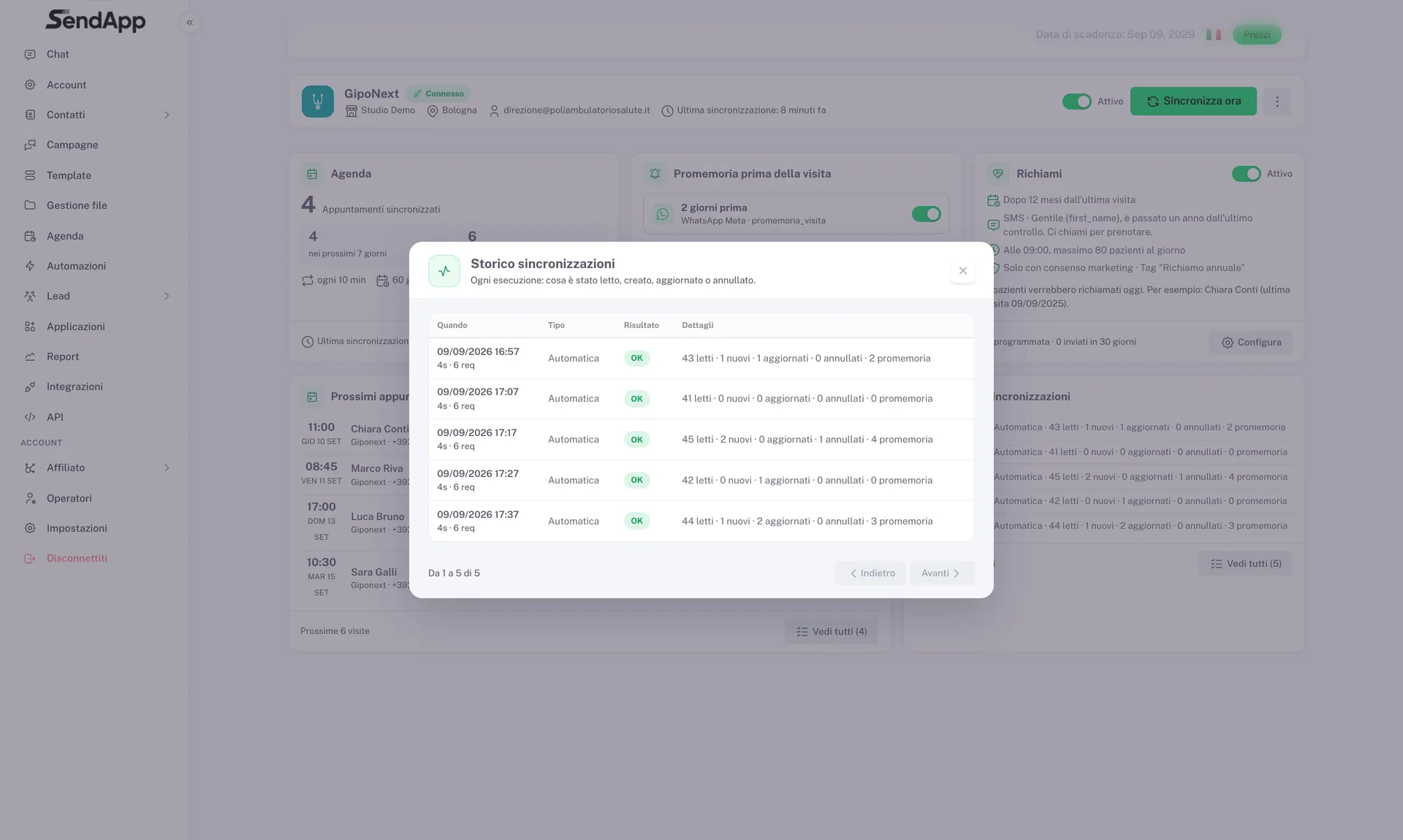
- Sync history: every run, with what was read and created.
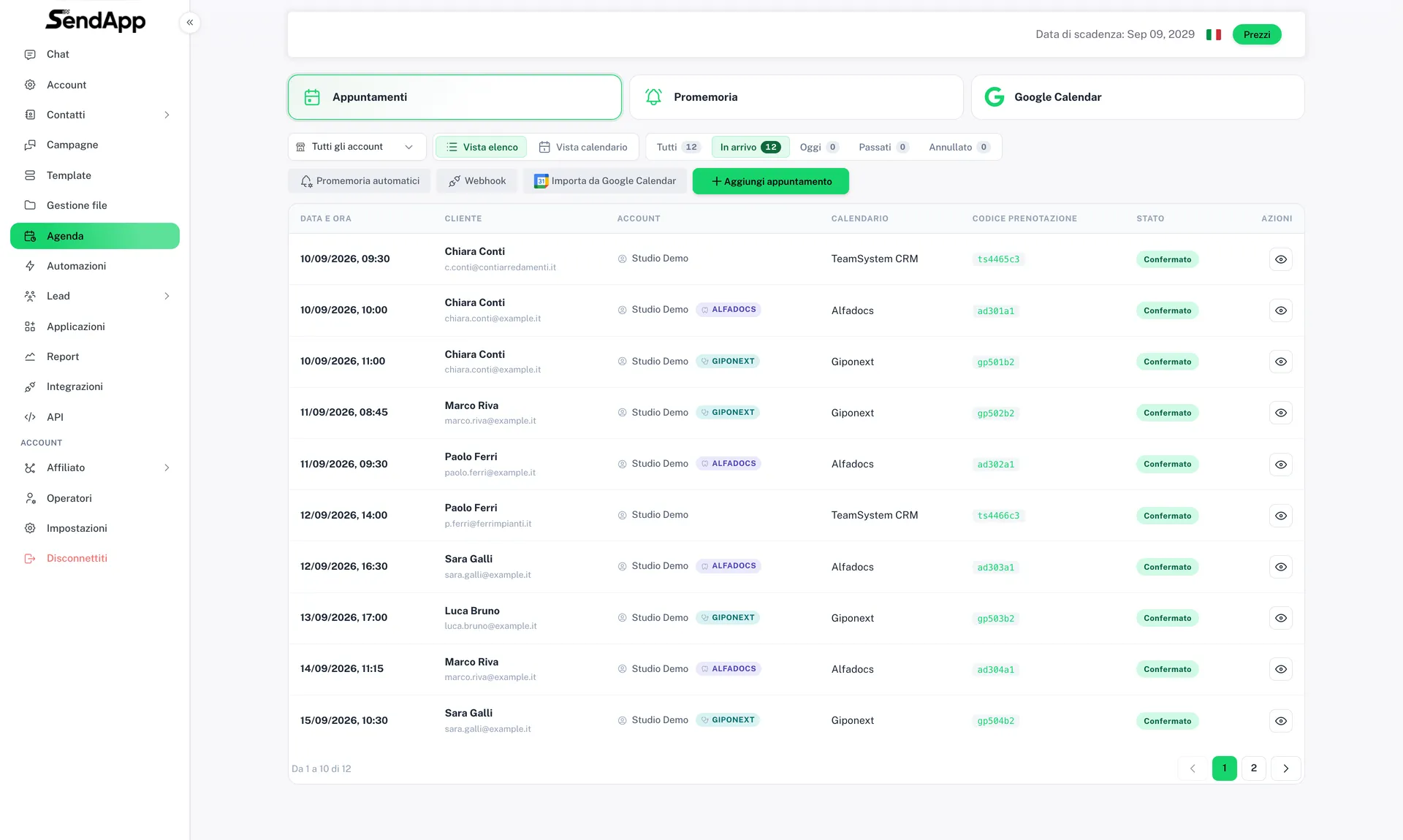
In the Calendar every imported appointment carries the GipoNext badge.
Limits to know
- Read-only: you cannot book from SendApp into GipoNext.
- One practice per connection: several sites, several connections.
- Up to 5 reminder rules.
- Not instant: GipoNext doesn’t notify changes, SendApp checks every few minutes.
- Past reminders are not recovered.
Ready to put it into practice?
Open SendApp and follow the steps in this guide. Need help? Support is one message away.